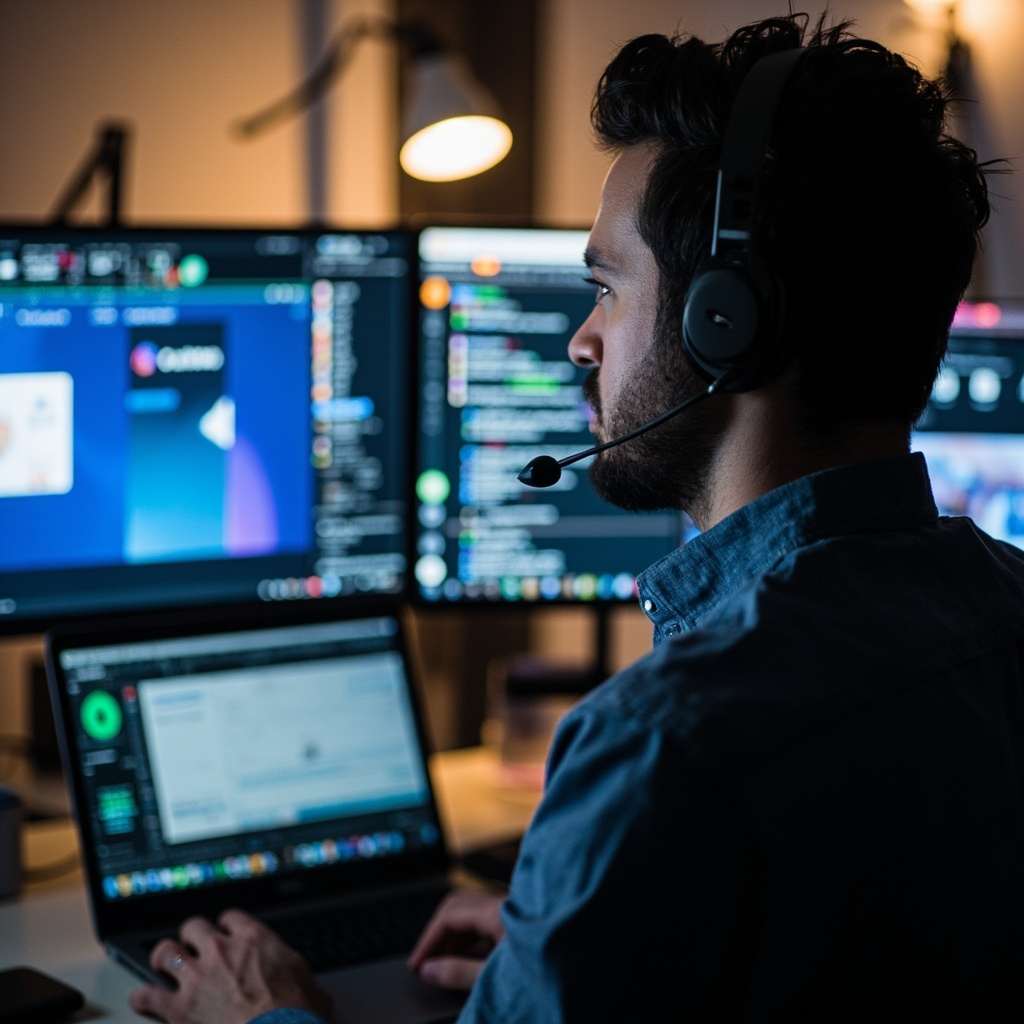
Remote support tools let IT contractors access client machines without being physically present. For contractors managing multiple clients across different locations, or IT teams supporting remote workers, the right remote support tool is a practical necessity. The choice affects not just the quality of support you can deliver, but also the security of the systems you access and the trust of the people whose machines you are working with.
This article covers the main categories of remote support tools, what to evaluate when choosing one, the security considerations that should drive that choice, and how to manage remote support across multiple client environments. Whether you are comparing tools for the first time or reviewing your current setup, the guidance here applies to IT professionals working with businesses across the UK.
Categories of Remote Support Tools
Remote support tools fall into two broad categories: unattended access tools and attended access tools. Understanding the difference matters because each category serves different use cases and carries different security implications.
Unattended access tools such as TeamViewer, AnyDesk, Splashtop, and Windows Remote Desktop are installed as a background service or application. They start automatically when the machine boots and allow you to connect at any time without someone being physically present at the remote end. This makes them suitable for servers, office workstations that are always on, and employee machines where you have explicit agreement to monitor remotely. The trade-off is that careful access control is essential because the machine is accessible whenever it is online.
Attended access tools such as AnyDesk with user confirmation enabled, RustDesk with user confirmation, Chrome Remote Desktop, and Join.me require a person at the remote end to approve the connection before you can take control. These are suitable for employee support where you cannot install persistent remote access software on personal devices, or where a client organisation's security policy prohibits unattended remote access.
The requirement for human approval adds a layer of security but also means you need to coordinate with someone at the remote end for each session.
Choosing between these two categories is often the first decision an IT contractor makes when setting up remote support capabilities. In practice, most contractors need both: attended access for supporting end users on personal or shared devices, and unattended access for servers and business-owned workstations that need to be managed without user involvement.
TeamViewer and AnyDesk: Commercial Options
TeamViewer and AnyDesk are the most widely used commercial remote support tools in the IT contracting space. Both offer free personal use tiers and commercial licensing for professional use. Both support unattended and attended access modes, file transfer between machines, session recording, and multi-monitor display. Both also provide cloud management portals for deploying and managing multiple remote agents across client environments.
TeamViewer has more mature cross-platform support and a broader enterprise feature set. It includes remote printing, Wake-on-LAN for powering on machines remotely, and integrations with professional services automation (PSA) and remote monitoring and management (RMM) platforms. For contractors who manage IT support operations at scale, these integrations can reduce manual overhead significantly.
AnyDesk is lighter and tends to perform better on low-bandwidth connections. Its licensing model is more transparent, which many contractors find easier to understand and budget for. For small to medium-sized IT support operations, AnyDesk often represents better value without sacrificing the core features needed for effective remote support.
For IT contractors, commercial licensing cost is a practical consideration. Both tools actively enforce their licensing terms and will block unlicensed commercial use. Free licenses are strictly for personal use only. If you are supporting clients professionally, you need a commercial license for whichever tool you use. This is not a grey area: both vendors treat commercial use detection as a priority, and getting blocked mid-support-session is disruptive for you and your client.
Before committing to a tool, review the specific licensing terms for your use case. TeamViewer's commercial licensing tiers are based on the number of technicians, while AnyDesk offers both per-user and per-session models. The right choice depends on how many clients you support and how many technicians in your practice need access.
RustDesk: The Self-Hosted Alternative
RustDesk is an open-source remote desktop application that you can self-host. This means your relay server, which brokers the connection when direct peer-to-peer connectivity is not possible, runs on infrastructure you control rather than on the vendor's servers. This is a significant advantage for clients with strict data sovereignty requirements or organisations that prefer not to have their remote support traffic passing through third-party infrastructure.
RustDesk's free tier uses their cloud relay by default, which works well for basic use. To self-host, you need a server with at least 1GB of RAM and the RustDesk server software installed. The setup is straightforward and documented on the RustDesk website. The operational trade-off is that you are responsible for server updates, security patches, and uptime.
For contractors supporting multiple clients, self-hosted RustDesk can be cost-effective because there is no per-agent licensing cost. The server costs are fixed regardless of how many clients you support. However, the operational overhead of maintaining the relay server, including monitoring its availability and applying updates, should be factored into your decision before choosing this approach.
If you are comparing RustDesk against TeamViewer and AnyDesk, the choice typically comes down to whether you need vendor-managed infrastructure and enterprise features, or whether you prioritise data control and predictable fixed costs. A detailed comparison of these tools is available in my guide to Remote Support Tools: TeamViewer, AnyDesk, and RustDesk.
Security Considerations for Remote Support Tools
Remote support tools are a high-value target because compromising one gives an attacker access to every machine that device can reach within a network. The security considerations below should drive both your tool choice and how you configure each tool for each client.
Access Control
Require strong, unique passwords for each remote support session rather than static credentials that persist across sessions. Session links that expire after a single use are better than persistent access credentials because they reduce the window of opportunity if a credential is compromised. For unattended access, use dedicated access credentials that can be revoked independently without affecting access to other client systems.
When setting up unattended access for a client, create a separate account specifically for remote support rather than using an administrator account. This limits what a compromised credential can do and makes audit trails clearer.
Multi-Factor Authentication
Any remote support tool that stores credentials for its management portal should support multi-factor authentication (MFA) for administrative access. If the management portal itself is compromised, every agent registered to it is potentially accessible. Enabling MFA on the portal is one of the simplest and most effective security measures available.
Beyond the management portal, consider whether your tools support MFA for end-user sessions. Some commercial tools offer two-factor authentication for session initiation, which adds protection at the connection level rather than just the administrative level.
Session Logging and Audit Trails
Know who connected to what machine, when, and for how long. Session recordings should be stored securely and retained according to your data retention policy. This matters both for security auditing and for resolving disputes about what was done during a support session. In regulated industries, session logging may be a compliance requirement rather than an optional best practice.
For each client, decide where session logs will be stored, who has access to them, and how long they will be retained. This should align with any data handling agreements you have in place with that client.
Encryption
All modern remote support tools use TLS encryption for the control channel. End-to-end encryption for the actual remote session varies by tool and configuration. Check whether the tool encrypts the remote session content in a way that the vendor cannot read it. For clients with strict confidentiality requirements, this distinction matters.
For self-hosted options like RustDesk, end-to-end encryption is generally more straightforward to verify because you control the relay infrastructure. For commercial tools, review the vendor's encryption documentation to understand what data they can and cannot access.
IP-Based Access Control and Network-Level Security
Many remote support tools support access control via permit lists (allowing only specific IP addresses or ranges to connect) or deny lists (blocking known malicious IPs). These are configured at the management portal level and should be reviewed regularly as part of your security maintenance routine.
If your remote support tool does not support permit lists, consider placing it behind a VPN or firewall that does. The combination of a remote support tool with no IP restriction and a weak or reused password is a known attack vector that has been exploited in multiple reported incidents. A VPN can add an important layer of access control without requiring you to change your primary remote support tool.
The decision between VPN-based access and direct remote support tool connections deserves careful consideration. Each approach has different security characteristics, operational requirements, and client experience implications. My comparison of VPN versus RDP for remote access covers this trade-off in more detail.
Choosing the Right Tool for Each Situation
Different support scenarios call for different access approaches. Matching the tool type to the situation affects both efficiency and security.
Supporting Employees Working from Home
For supporting employees working from home on personal devices: attended access tools are usually the right choice because you cannot install software on personal devices without consent. Personal devices may also not be MDM-managed, which means you lack the organisational controls needed for safe unattended access. Tools like Chrome Remote Desktop or attended-mode RustDesk work well here because the employee initiates the session.
If you are supporting a distributed team, the remote work IT setup for your clients' employees should include clear guidance on which attended access tools are approved and how to initiate a support session. This reduces friction when employees need help and ensures support requests come through the right channel.
Supporting Business-Owned Devices
For supporting business-owned devices: unattended access tools with a management portal give you the ability to deploy agents, schedule updates, and access machines without coordinating with the end user each time. This is more efficient for organisations with more than a handful of remote devices and where the devices are owned and managed by the business.
When deploying unattended access agents across business devices, document which devices have agents installed, which technician accounts have access, and what the escalation path is if an access credential needs to be rotated.
Server Access
For server access: command-line access via SSH is usually sufficient and carries a smaller attack surface than remote desktop tools. Remote desktop tools should only be used when graphical interface access is genuinely necessary. Server access should always route through a jump host or VPN, never directly exposed to the internet.
Using a jump host means that even if your remote support tool credentials are compromised, servers remain inaccessible from the public internet. The jump host acts as a single, monitored entry point for all administrative access.
Managing Multiple Client Environments
IT contractors who support multiple clients face a specific operational challenge: each client has a different remote support setup, different security requirements, and different tools they permit on their network. Juggling multiple remote support tools, each with their own agent software, management portal, and access credentials, creates overhead that can undermine the productivity gains from remote support.
The practical approach is to standardise on one or two tools that cover the majority of clients, and use client-specific tools only when required. If Client A mandates TeamViewer because they already have a TeamViewer corporate license, you use TeamViewer for that client. For everyone else, you apply your standard tool. This minimises the number of tools you need to maintain competence in while satisfying client-specific requirements.
Keep separate credentials and configuration for each client. Do not use the same TeamViewer corporate account for multiple clients unless they are all on the same corporate plan, because access rights and device lists become complicated quickly. Each client should have their own discrete remote support environment with its own credentials that can be revoked independently if needed.
If you are managing IT support contracts with multiple clients, having a clear structure for how you handle remote access, credentials, and session logging as part of your standard engagement terms helps set expectations on both sides. Understanding what an IT support contract actually covers is useful when establishing these arrangements with new clients.
Remote Support for Regulated Industries
Contractors working with clients in regulated industries such as healthcare, financial services, or legal sectors face additional requirements that go beyond the technical. These requirements are not optional and should be taken seriously before starting any engagement.
A healthcare client may require you to sign a Data Processing Agreement (DPA) before accessing their systems, may require that all remote support sessions are recorded and retained for a specified period, and may prohibit you from copying any client data to your own devices. Financial services clients may have specific requirements for how you access their trading systems or customer data, often dictated by regulatory frameworks that apply to the firm.
Before starting work with a regulated client, understand what remote support constraints apply and ensure your tool selection and working practices can comply. If your preferred tool cannot satisfy a client's session recording requirement, you need to use a different tool for that client. It is worth spending time on this upfront to avoid uncomfortable situations later.
For clients with heightened security requirements, a zero-trust security model can provide a framework for how remote access is granted, verified, and revoked. This approach assumes no implicit trust and verifies every access request regardless of network location. My guide to zero-trust security for small business covers this approach in practical terms.
Setting Up Remote Support for a New Client
When you take on a new client, establishing remote support access should follow a consistent process that documents the decisions made and the rationale behind them.
- Assess the client environment: Determine what devices need remote access, who owns them, and what security policies apply. Business-owned devices on a corporate network have different requirements to personal devices used by homeworkers.
- Select the appropriate tool: Match the tool category to the situation. Use attended access for personal devices and end users, unattended access for business-owned servers and managed workstations.
- Configure access controls: Set up credentials, enable MFA where available, configure permit lists or VPN requirements, and establish session logging parameters.
- Document the setup: Record which tools are deployed, which technician accounts have access, and how access can be revoked if needed. This documentation should be part of your standard engagement records.
- Test the setup: Verify that you can connect successfully, that session logging is working, and that the client understands how to initiate support requests.
Operational Considerations for Ongoing Support
Setting up remote support is not a one-time task. Ongoing maintenance keeps the setup secure and functional over time.
- Rotate credentials regularly: Access credentials for remote support tools should be changed on a schedule appropriate to the sensitivity of the systems accessed. At minimum, change them when a technician leaves your practice or when a credential may have been exposed.
- Review active sessions and logs: Periodically check that session logging is functioning and that logs are being stored correctly. Missing logs should be investigated, not ignored.
- Update agent software: Keep remote support agents updated to the latest version. Updates often include security patches, and running outdated agents creates unnecessary risk.
- Audit access permissions: At least quarterly, review which technician accounts have access to which client environments. Remove access for technicians who no longer support that client.
Getting Started with the Right Remote Support Setup
Choosing remote support tools is not a one-size-fits-all decision. The right choice depends on the mix of clients you support, the security requirements of each, your budget for licensing, and your willingness to manage self-hosted infrastructure.
For most IT contractors starting out, a commercial tool like TeamViewer or AnyDesk with a business license covers the majority of use cases reliably. As your practice grows and you encounter clients with stricter data requirements, adding a self-hosted RustDesk option gives you flexibility without committing to expensive enterprise licensing from day one.
Whatever tools you choose, apply consistent access control practices, enable session logging where possible, and keep client environments separate. These habits matter more than the specific tool you use.
If you need help reviewing your current remote support setup, prepare a short note with details of the tools you currently use, the number of clients you support, any security requirements that apply, and what you want to improve before getting in touch.