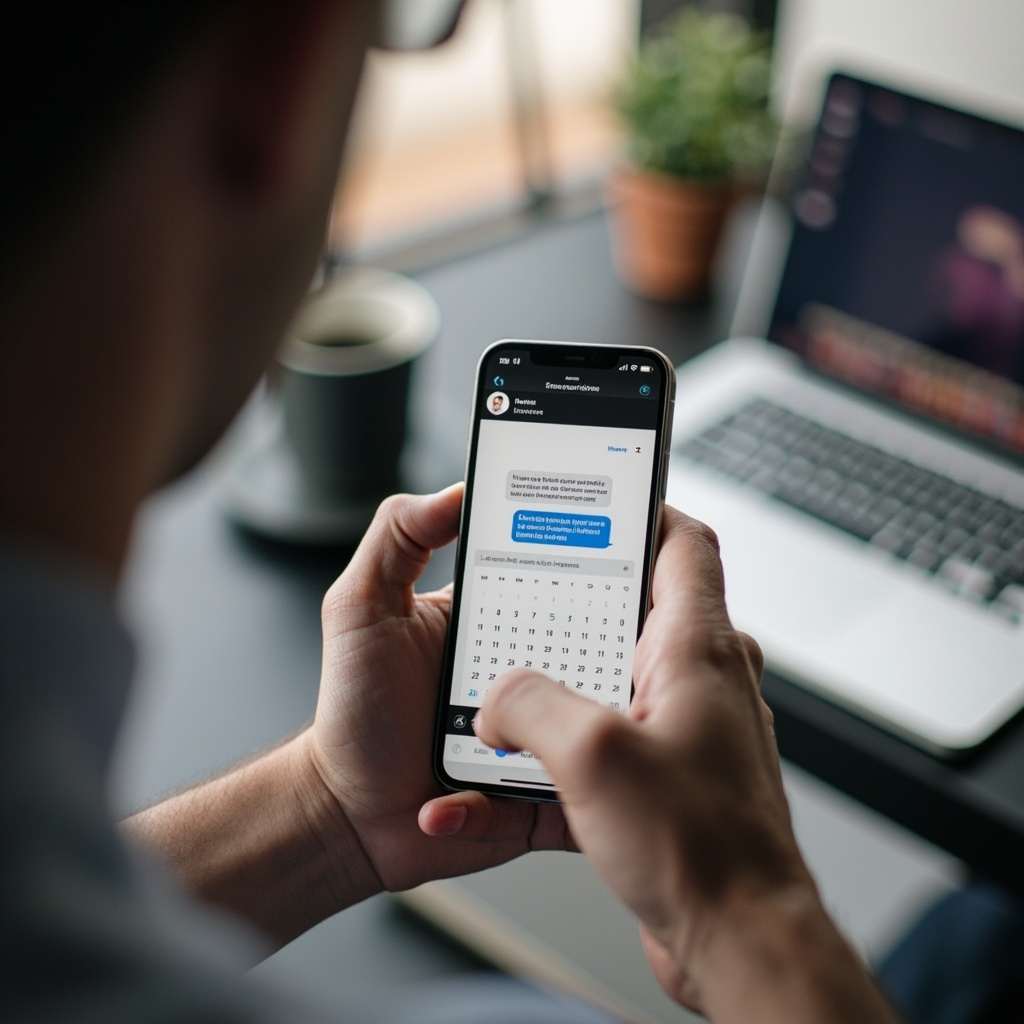
Missed appointments quietly erode the revenue of service businesses across the UK. A customer who booked weeks ago and has not thought about the appointment since will genuinely forget by the day before. This is not a customer service failure. It is a predictable gap in communication that automated SMS appointment reminders can close.
Research consistently shows that SMS reminders reduce no-show rates by 30 to 40 percent across healthcare, automotive, professional services, and other appointment-based industries. The mechanism behind this is straightforward: people check their phones frequently throughout the day, and an SMS arrives at the moment the appointment becomes relevant again. That notification prompts the customer to confirm, reschedule, or cancel, and each of those actions is better than a silent no-show.
This article explains how SMS reminders work, what a functional setup involves, the mistakes that reduce their effectiveness, and how to evaluate whether the investment makes sense for your booking system.
What the Research Shows About SMS Reminders and No-Show Reduction
The data on SMS reminders and no-show rates is consistent across multiple studies and industries. A systematic review published in the Journal of Clinical Medicine in 2020 analysed 25 studies covering appointment reminders and found that SMS reminders reduced no-show rates by 30 to 40 percent on average across all settings studied. The effect was strongest in settings where appointments were booked more than one week in advance.
The reason this matters for your business is simple. The average person checks their phone over 96 times per day. An SMS arrives on that phone and creates a notification. The notification prompts the recipient to think about the appointment, which prompts them to either confirm, reschedule, or cancel. Each of those actions prevents a no-show. A customer who would have forgotten the appointment entirely receives a reminder, thinks about it, and either attends or gives the business enough notice to rebook the slot.
The financial impact of no-show reduction is straightforward to calculate. Take your average booking value in pounds. Multiply by the number of no-shows per month. Reduce that by 35 percent, which is the midpoint of the research range. The result is the monthly revenue recovered by SMS reminders. Compare that figure against the monthly cost of an SMS reminder service to determine the return on investment.
For a business with an average booking value of £120 and 15 no-shows per month, a 35 percent reduction saves roughly 6 bookings per month, or £720 in recovered revenue per month. If SMS reminder costs are £60 per month, the net benefit is £660 per month. The calculation for your business may differ in scale, but the arithmetic is always the same.
If you are building a booking system from scratch or evaluating whether a custom solution is worth the investment, calculating the return on investment from features like SMS reminders is an important part of that decision. A custom booking system can be designed to include automated reminders as a core feature, rather than an add-on.
Why SMS Outperforms Other Appointment Communication Channels
Email is the primary alternative to SMS for appointment communications, but it has a lower open rate and a longer time to engagement. A reminder email sent in the morning may not be read until the evening, if at all. This is particularly true for appointments booked through a website where the customer's email address may be less actively monitored than a personal address.
SMS has a 98 percent open rate within 4 minutes of delivery. A reminder sent at 9am for an 11am appointment arrives, is opened almost immediately, and creates a decision point while the appointment is still salient. The immediacy of SMS is what makes it effective for time-sensitive communications.
Push notifications from a mobile app are less reliable than SMS because they depend on the customer having the app installed, the app having permission to send notifications, and the phone being in a state where notifications are delivered. Many users disable push notifications for most apps, particularly for apps they do not open frequently. SMS delivery is not dependent on app installation or notification permissions.
Phone calls are effective but expensive. A 90-second reminder call to every customer the day before an appointment is the most personal and highest-engagement option, but the labour cost makes it impractical for businesses with more than a handful of appointments per day. SMS provides the urgency and immediacy of a phone call at a fraction of the cost, with the trade-off that it is primarily a one-way communication channel.
The Four Components of a Functional SMS Reminder Setup
An SMS reminder system is not simply sending a text message before the appointment. A proper setup has four components that must work together: the trigger logic, the message content, the delivery platform, and the confirmation handling.
Trigger Logic: When Reminders Are Sent
The standard configuration sends a reminder 24 hours before the appointment and a second reminder 1 to 2 hours before the appointment. The first reminder gives the customer time to reschedule if something has come up. The second reminder catches same-day forgetters. Some businesses also send a reminder one week before the appointment for bookings made well in advance, which reduces early cancellations and gives the business time to fill the slot if the customer cancels.
The trigger logic must account for business hours and time zones. A reminder sent at 11pm for an 8am appointment is less useful than one sent in the morning, and it may annoy customers who receive an automated message at a time they consider inappropriate. The reminder system should schedule messages to arrive within business hours and should handle appointments in different time zones correctly.
Message Content: What the Reminder Says
The message content determines whether the reminder drives the intended action. A generic reminder that says "Your appointment is tomorrow" is less effective than one that includes the specific date, time, and location. The best-performing reminders are personalised to the customer and specific to the appointment.
Include the business name, the date and time in a clear format, the service or appointment type, and a clear instruction on what to do if the customer needs to reschedule. This can be a phone number, a link to an online booking system, or a reply instruction.
An effective reminder looks like this: "Hi Sarah, this is a reminder of your appointment at AutoTech Garage on Thursday 23 May at 10:30am for your MOT test. To reschedule, call 01234 567890 or reply CANCEL. We look forward to seeing you."
Delivery Platform: How Messages Reach the Customer
The delivery platform determines cost, reliability, and deliverability. SMS gateway providers like Twilio, MessageBird, and Plivo provide API access to SMS delivery at a per-message cost, which is the standard approach for businesses without direct carrier relationships.
Per-message costs vary by destination country, message length, and volume. Standard SMS in the UK typically costs between £0.04 and £0.08 per message through most providers. Long messages that exceed 160 characters are split into multiple segments and charged per segment. Keep messages under 160 characters to minimise cost. Unicode characters such as accented letters or emoji reduce the single-message limit to 70 characters.
If your booking system involves custom development, connecting to an SMS provider API is a standard integration task. Understanding the cost structure helps when calculating the return on investment for automated reminders.
Confirmation Handling: Closing the Communication Loop
When a customer replies to an SMS reminder, the system should record and act on that reply. A reply of "CANCEL" should trigger a cancellation workflow. A reply of "CONFIRM" should mark the appointment as confirmed. An invalid reply should trigger an acknowledgement and direct the customer to the correct channel.
Automated handling of replies transforms SMS reminders from a one-way broadcast into a two-way communication channel that reduces administrative burden on your staff.
Integrating SMS Reminders Into a Booking System
If your business uses a custom booking system, integrating SMS reminders is a matter of connecting to an SMS provider API and adding the reminder trigger logic to the booking lifecycle. The integration has four steps: storing appointment data correctly, scheduling reminder messages, handling delivery status callbacks, and processing customer replies.
Storing Appointment Data
Storing appointment data means keeping the customer's phone number with the booking record, along with the appointment time and any other details needed for the reminder message. The phone number field must be validated to ensure it is a valid mobile number in the correct format. UK numbers start with 07, and international numbers include the country code.
Scheduling Reminder Messages
Scheduling reminder messages requires the booking system to know when to send each message. When a booking is created or confirmed, the system calculates the send times for each reminder based on the appointment time and the reminder rules. It then creates a scheduled message record that is processed by a background job.
A background job or cron process checks for messages that are due to be sent and sends them via the SMS provider API. This should be a queued process: messages are created when the booking is made and processed by a worker that handles retries if the SMS provider is temporarily unavailable. Most SMS providers guarantee high uptime, but your system should retry failed sends within a short window to ensure reminders are delivered.
Handling Delivery Status and Customer Replies
Delivery status callbacks are notifications sent by the SMS provider when a message is delivered, fails, or is rejected. Your system should log these statuses against the message record. A reminder that shows as undelivered after the appointment time has passed should trigger an alternative notification method to ensure the customer was actually reminded.
Customer replies require a webhook endpoint that receives inbound SMS messages from the provider. The webhook parses the message content and keyword, looks up the associated booking, and updates the booking status accordingly. The webhook must be accessible from the internet and should be authenticated to prevent spoofed replies.
Mistakes That Undermine SMS Reminder Effectiveness
Sending reminders too early is the most common mistake. A reminder sent seven days before the appointment has a much lower impact than one sent 24 hours before, because the customer has not yet entered the cognitive window where the appointment is top of mind. The reminder is read, noted, and then forgotten before the appointment day arrives. Sending the reminder 24 hours before keeps the appointment salient at the moment it is most likely to be forgotten.
Sending reminders outside business hours is the second mistake. A message received at 11pm creates the same notification on the customer's phone as one received at 9am, but it is associated with a poor customer experience. Customers who receive late-night automated messages perceive the business as less considerate. Schedule reminders to arrive between 8am and 8pm in the customer's time zone.
Including only the appointment time without the date or location is the third mistake. Customers who have multiple appointments with different businesses need to be able to identify immediately which appointment the reminder refers to. Vague reminders generate confusion and phone calls to the business to confirm the appointment details, which increases administrative workload rather than reducing it.
Not offering an easy reschedule path within the reminder is the fourth mistake. A reminder that tells the customer they have an appointment but gives no information about how to cancel or reschedule creates friction. The customer who wants to reschedule but does not know how to do so quickly will often do nothing and simply not show up. Include a phone number or a direct link to the booking system for rescheduling.
Not tracking reminder effectiveness is the fifth mistake. If your SMS reminder system does not report on delivery rates, confirmation rates, and no-show rates, you cannot tell whether the reminders are working. Every SMS provider offers webhook-based delivery reports. Your booking system should log these and produce a simple dashboard showing how many reminders were sent, delivered, and what the resulting no-show rate was.
Tracking the right metrics helps you understand whether your reminder system is working as intended. If you want to learn more about which booking system metrics matter, I have covered booking system analytics in a separate guide that covers the key numbers to monitor.
Evaluating SMS Provider Pricing and Reliability
SMS pricing varies significantly between providers, and the cheapest option is not always the best choice for business-critical reminder communications.
UK-focused providers like txtlocal and similar services offer straightforward pricing for UK numbers, simple API integration, and support for sender IDs that display your business name rather than a numeric sender address. These are appropriate for businesses sending primarily to UK customers and wanting sender ID recognition for brand trust.
International-focused providers like Twilio and MessageBird offer global coverage and more sophisticated API features including number formatting, delivery receipts, and inbound message handling. They are the right choice if you send reminders to international customers or need two-way communication capabilities.
When evaluating providers, look at per-message cost for your primary destination country, setup fees and monthly minimums, delivery rate guarantees, API documentation quality and SDK availability for your development stack, and support availability when something goes wrong.
Failover is worth considering for businesses where SMS reminders directly prevent lost revenue. Some businesses use two SMS providers and implement automatic failover, so that if one provider is unavailable, messages are sent via the backup. For businesses with high appointment volumes, this added complexity can be worth the reliability improvement.
What to Include in a Reminder Message
The content of your reminder message determines whether it achieves the intended outcome. Here is the structure of a high-performing appointment reminder.
- Personalisation: Use the customer's first name. "Hi Sarah" is more engaging than "Dear Customer" and immediately identifies which appointment this is.
- Business name: State who is sending the reminder. "This is AutoTech Garage" tells the customer immediately who this is about.
- Appointment specifics: Date, time, and service or appointment type. "Thursday 23 May at 10:30am for your MOT test" gives all the information needed to identify and attend the appointment.
- Action instruction: Tell the customer what to do if they need to reschedule. A phone number or a reply keyword is standard. "Reply CANCEL to cancel" or "Call 01234 567890 to reschedule."
- Closing: A brief positive close. "We look forward to seeing you." This is minor but contributes to the tone of the communication.
Total message length should stay under 160 characters for a single-segment SMS. A message that exceeds 160 characters is split into two segments and charged at two messages. Use the minimum words necessary to convey the required information.
Measuring the Return on SMS Reminders
The metric to track is no-show rate before and after SMS reminders are implemented. Calculate it as the number of no-shows divided by total appointments in the period, expressed as a percentage. Track this weekly or monthly so you have enough data to see a trend.
A business that sees its no-show rate drop from 12 percent to 8 percent after implementing SMS reminders is recovering 4 percent of appointments. At 200 appointments per month and an average booking value of £100, that is £800 per month in recovered revenue.
Over 12 months, that is £9,600 in revenue that would otherwise have been lost to no-shows. Against an SMS cost of roughly £400 per month for 200 appointments, assuming a reminder before and a reminder on the day, so 400 messages at roughly £0.05 each, the return on investment is significant.
Build this calculation for your own business using your own numbers before dismissing the cost of SMS reminders as an optional overhead. The business case for automated reminders depends heavily on your specific no-show rate and average booking value.
Reducing Admin Workload Alongside No-Show Prevention
SMS reminders do more than reduce missed appointments. When customers receive a reminder and choose to reschedule or cancel, they give the business advance notice that would not have existed otherwise. That advance notice means the slot can potentially be refilled, and the business has time to contact other customers who may want that time.
Without reminders, the business discovers the no-show at the appointment time, when it is too late to do anything. With reminders, the business often receives a cancellation or reschedule request hours or a day before the appointment, transforming a potential no-show into a manageable administrative task.
This reduction in administrative burden is separate from the revenue recovered from fewer no-shows, and it is often overlooked when calculating the return on investment for SMS reminder systems.
Reducing administrative tasks through automation is a broader goal that goes beyond appointment reminders. Businesses that reduce admin time waste often find that automation investments pay for themselves within months.
How SMS Reminders Support Self-Service Booking Portals
Customers increasingly expect to manage their own bookings online. A self-service booking portal gives customers the ability to view, modify, and cancel appointments without contacting the business directly. SMS reminders complement this by reaching the customer at the moments when they are most likely to think about the appointment.
When a customer receives an SMS reminder with a direct link to the booking portal, they can reschedule or cancel in seconds if needed. This closes the loop between the reminder and the self-service system, giving customers a frictionless path to update their booking when circumstances change.
The combination of self-service portals and SMS reminders shifts administrative work away from phone calls and email exchanges. Customers handle their own rescheduling, and the business receives automated notifications when appointments are modified. This is more efficient for everyone involved.
Deciding Whether SMS Reminders Are Right for Your Business
SMS appointment reminders are a straightforward way to protect revenue that is otherwise lost to forgotten appointments. The implementation is technically manageable for most booking systems, and the return on investment is clear for any business with more than a handful of appointments per week.
The critical decisions are not purely technical. They are about reminder timing, message content, and confirmation handling. Get those right, and the system will work.
If you want help reviewing your current booking setup or discussing how SMS reminders could be integrated into your system, you can get in touch with details of your current platform, appointment volume, and the no-show challenges you are experiencing.